


View Loads and Bin Storage
Anytime, Anywhere
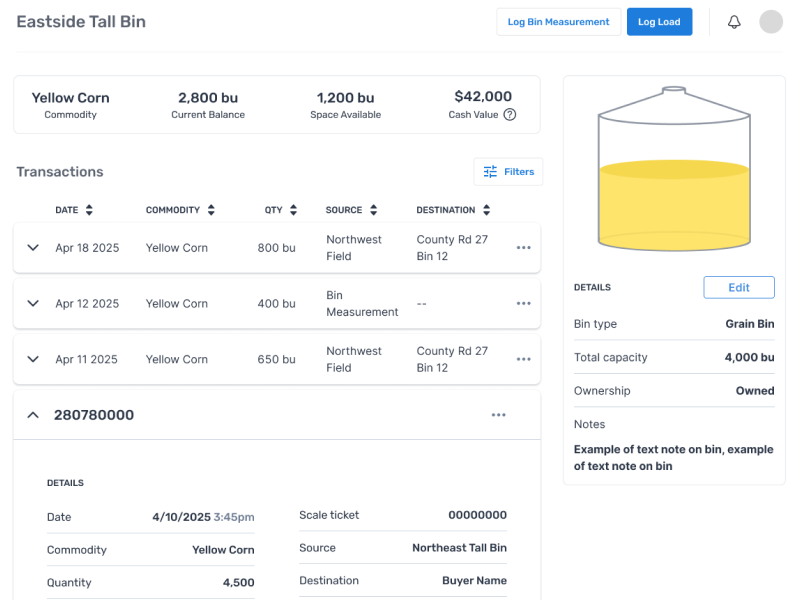
Available on the Essentials plan, Bushel's farm management software now makes it easier to track grain from the field, to bin, to buyer. With the storage and load feature, every load has a digital record that anyone on your account can access.
Watch a Demo
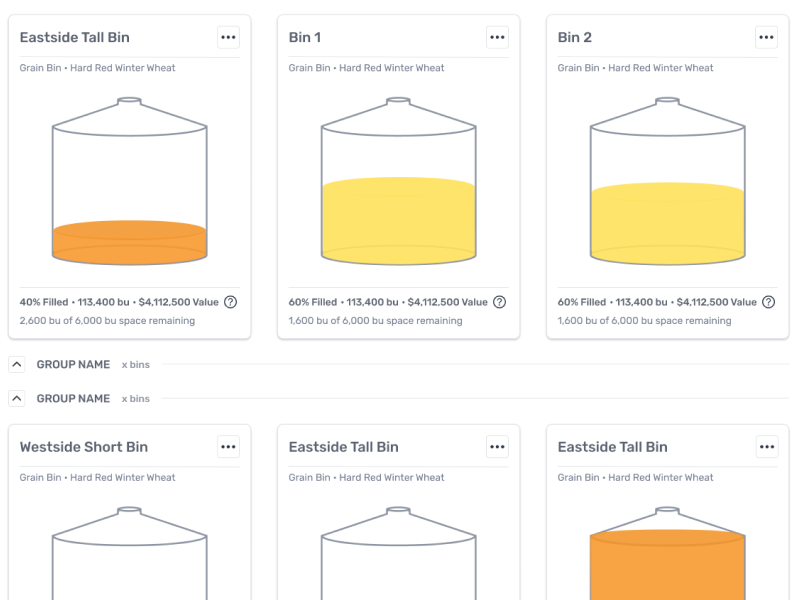
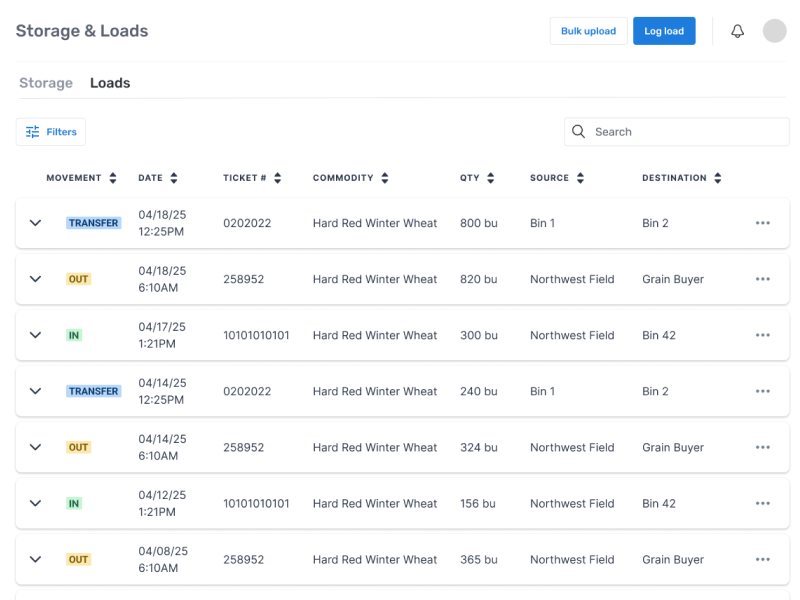
Bushel Farm now makes it easier to track grain from the field to the bin and from your bin to your buyer. With the new storage and loads features, every load has a digital record that anyone on your account can access anytime from anywhere. Using these features, you'll be able to view your loads and storage and know your inventory without the guesswork, stay aligned with collaborators on your farm, and make faster, more informed decisions. To get started, go to the storage and loads feature in your navigation bar. In here, you'll see tabs to navigate back and forth between storage and loads as well as buttons to easily add storage or log a load. To start using these features, click add storage. First, you'll wanna name your storage. I'll call this one wheat. Then click storage type to select from a list of options or start typing to create your own storage type. Next, you can optionally group your storage however you'd like, such as commodity type or location. Type to create a new group or select from the drop down if you already have groups created. Add capacity, commodity, current fill, and other notes as needed, and click the blue save button. Now my bin will appear in the group I created. If I did not assign a group, it will populate in the ungrouped section. I'm gonna go ahead and add a few more storage types, then we'll look at tracking loads so you can see how these features interact. From the storage tab, there are a couple of ways you can log loads. You can select the buttons directly under your storage type you've created or click the blue log loads button. The nice thing about logging a load directly from a specific storage type is that it will auto populate your destination and commodity. Let's log a load together. First, the current date will auto populate, but you can select another date if needed. Next, you'll wanna choose a commodity. You can either scroll to find what you're looking for or search by typing. For this one, I'm gonna select wheat to match the bin I just created. Let's say I've got a thousand bushels to add to my bin. You can filter sources by field or storage. This came from my wheat field, so I'm going to select fat For destination, I'll wanna select my storage type. Optionally, you can add a driver, ticket number, moisture, and additional notes as needed. That log will now show up in your list. Click the drop down to view more details or make edits. And if we go back to storage, we can see that load in our bin. Now let's say I brought a load to my grain buyer. I would follow that same process of logging a load, adjust adjust the source and destination. If you're sinking contracts from your grain buyer, they should appear in your list, but you can add any other grain buyers as needed. And if we go back to the storage tab, our bin in storage will be adjusted. Click your storage item to view a list of all movements and select the drop down to view more details. A great part of this feature is that you can view market value based on your inventory. This value is based on market futures and does not take into account the basis in the area or contracted pricing. Going back to storage, you can log a bin measurement at any time to update your current fill or clean out a bin by clicking the three dots in the right hand corner. You can also add attachments as needed. Easily view your storage by commodity by applying a filter. You can also filter your loads by date range, commodity, source, or destination. Storage and loads is great for staying organized, keeping aligned with others in your account, and making confident marketing decisions. The storage and loads feature is now available for essentials and enterprise subscribers. Check it out today. Hello?
Stay aligned with collaborators on your account
Make Faster, more informed decisions